.png)
A Technician’s Guide to Cutting Diagnostic Time on Laundry Equipment

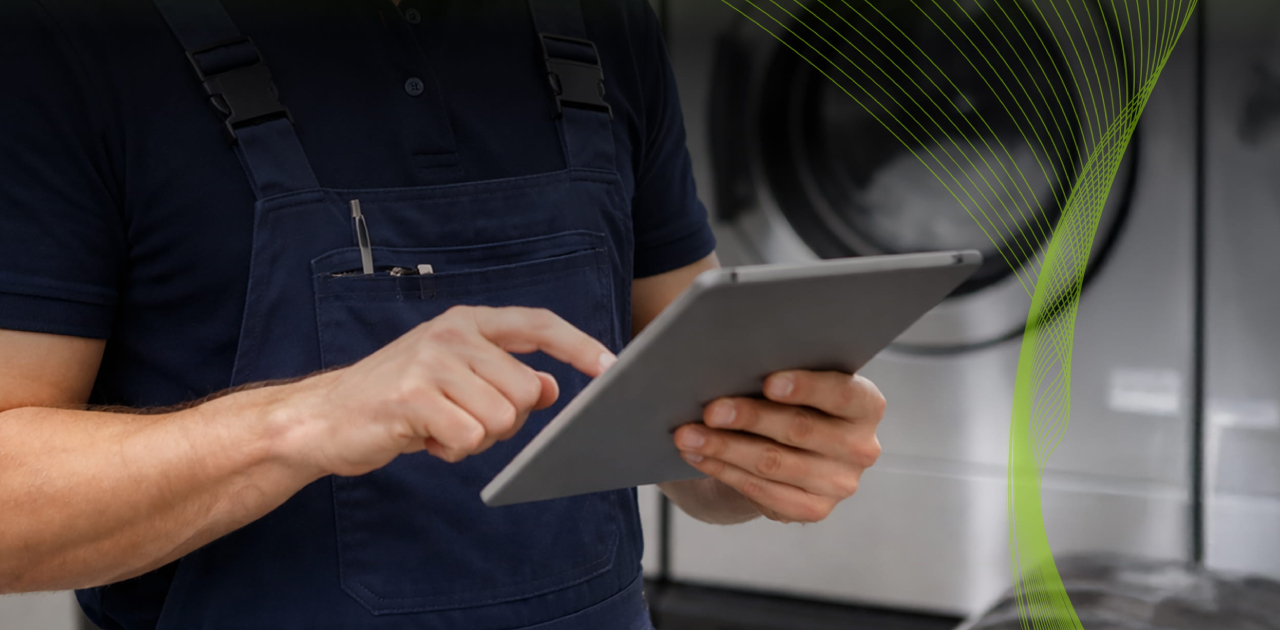
Laundry service calls are often a race against the clock. The pressure is high, and the real slowdown happens the moment you have to figure out why a machine isn't behaving.
Whether it’s a washer that won’t spin or a dryer with inconsistent heat, a door that won’t lock, a unit that drains sometimes. Each issue leaves you asking the same thing, “Where do you start so you find the real problem without needing a second trip?”
SmartHQ™ Service is designed to eliminate that guesswork. By linking technicians directly to compatible appliances through a Bluetooth module and mobile app, it creates a repeatable, data-driven workflow that cuts diagnostic time and increases your first time fix rate.
With SmartHQ™ Service the same process becomes easier. The workflow is simple and repeatable:
- Connect the module
- Read the error codes
- Run live component tests
- Order parts only after you confirm the failure
With everything in one mobile process, from diagnostic data to service manuals and parts ordering, you save time, reduce guesswork, and keep your visits efficient.
Why Laundry Equipment Diagnostics Take Too Long in the Field
If you’ve spent time troubleshooting laundry equipment, you know the delays come from the same few patterns.
- Symptom overlap: A drain restriction, weak pump, control issue, or harness fault often looks similar when you’re standing in front of the machine.
- Proof before action: Techs feel they have to open the unit right away to confirm a single component.
- Wrong-part risk: Ordering parts based on a hunch often means a return visit, or worse, another wrong part.
Those extra trips add up fast. Across the industry, repeat dispatches can cost between $200 and $300 per truck roll. SmartHQ™ Service addresses this by enabling a higher first-time-fix rate, ensuring you have the right answers before you ever open your tool bag.
The fastest path forward is simple: verify the failure mode before you order parts.
SmartHQ™ Service for Laundry Equipment Diagnostics: What It Helps You Do Faster
SmartHQ™ Service puts unprecedented diagnostic power in the palm of your hand:
- Real-Time Fault Codes: Instantly read active and inactive fault codes to understand exactly what the appliance is reporting.
- Isolated Component Activation: Use your mobile device to turn on individual components, like the drain pump, motor, or heater, to confirm functionality without running a full cycle.
- Cycle History & Data Logs: View the appliance's past performance and shared maintenance histories to spot recurring issues.
- Integrated Documentation: Access service manuals, wiring diagrams, and service bulletins directly through the app while standing at the unit.
- One-Click Firmware Updates: Resolve unresponsive UIs or "phantom" cycles by updating the appliance software on-site, potentially saving a control board replacement.
With better diagnostics and verified testing, technicians can show up ready, confirm the failure faster, and avoid repeat visits.
A Faster Diagnostic Workflow for Laundry Calls
SmartHQ™ Service transforms complex troubleshooting into a streamlined, four-step process that eliminates guesswork and physical teardowns. By following this data-driven sequence, technicians can move from symptom to solution with unmatched accuracy.
1. Establish Connectivity and Access Self-Diagnostics
The process begins by connecting the Bluetooth module directly to the appliance using the supplied RJ-45 (ethernet) cable. Once the connection is active, it transmits real-time data to the app on your mobile device.
- Pull Fault Codes: Instantly view both active and inactive F-codes. Each code provides a detailed explanation and specific check-steps for diagnosis.
- Review History: Access the appliance's cycle history and data logs stored in the cloud. Seeing when a fault previously occurred provides essential context for intermittent laundry issues like drainage or spin failures.
2. Execute Live Component Testing
Before opening the unit, use the Diagnostic Features section to enter service mode directly from your device. This allows you to perform pinpoint verification without running full cycles.
- Isolated Controls: Individually trigger high-failure components such as the motor, drain pump, heater, or door lock.
- Monitor Real-Time Metrics: While a component is running, view live readings for fan speeds, temperatures, and amperage. If a motor is commanded to run but the app shows zero amperage, you have confirmed a failure in the circuit or motor itself.
3. Consult Integrated Technical Documentation
Once you have narrowed down the failure, use the app’s resource library to back up your findings. You no longer need to hunt for paper manuals or search external sites; SmartHQ™ Service provides cloud-based access to:
- Service Manuals & Bulletins: Review the most up-to-date repair guides and technical bulletins.
- Wiring Diagrams & Schematics: Open high-resolution schematics to trace circuits and confirm connector locations.
4. Resolve via Software or Verified Parts Ordering
Not every laundry issue requires a mechanical fix. The app will notify you if a Firmware Update is available, which can often resolve "phantom" UI behavior or unresponsive controls without replacing any hardware.
- OneParts Search: If a part is required, use the OneParts feature to view exploded diagrams. The appliance's model number is automatically passed into the tool to ensure you select the correct part every time.
- Parts Marketplace: Order genuine GE parts directly through the app by connecting to your preferred distributor's commerce page.
How This Workflow Improves First-Time Fix Rates
First‑time fix rate matters. It affects margins, technician productivity, and customer satisfaction. When diagnosis takes too long, or parts get ordered on assumptions, that first visit often turns into a repeat trip.
A connected workflow helps prevent that. It guides technicians through a clear sequence:
- Pull fault codes to narrow the issue.
- Run live tests to confirm the failure.
- Order parts only after verification.
Research backs this up. A 2022 SMU data science review found that stronger preparation, such as having the right parts and readiness built into the workflow, improves first‑time completion rates.
With SmartHQ™ Service, technicians can access diagnostic codes, run tests, and pull up documentation right on site. That means they get to the root cause faster and avoid unnecessary return visits.
How the Workflow Drives Success
The SmartHQ™ Service workflow significantly boosts first-time fix rates by moving technicians away from guesswork and toward data-driven verification before tools are ever used or parts are ordered.
- Eliminates Symptom Overlap: Many laundry issues, such as drainage or spin failures, have overlapping symptoms. By pulling real-time fault codes and detailed explanations, technicians can instantly narrow down the actual subsystem reporting the error.
- Proof Before Action: The ability to execute isolated component activation (e.g., motor, pump, or heater) allows a technician to confirm a component’s failure mode without dismantling the unit or running a full cycle. This ensures that when a part is ordered, it is for a verified failure.
- Leverages Historical Data: Accessing cloud-based cycle history and data logs helps technicians identify intermittent problems that might not be visible during a single test run.
- Reduces Wrong-Part Risk: Using the OneParts feature, the appliance's specific model number is automatically passed into a parts search. Technicians can then view exploded diagrams to ensure they select the precise part needed, dramatically reducing return visits caused by incorrect ordering.
- Software-First Resolutions: Often, what appears to be a hardware failure is a software glitch. The workflow includes a firmware update check. In one case study, 20 control board updates were performed, saving $1,500 in potential parts costs by fixing the issue via software rather than mechanical replacement.
- Integrated On-Site Support: Having instant access to high-resolution schematics, service manuals, and technical bulletins directly on a mobile device ensures technicians can double-check complex wiring before leaving the job site
FAQ: SmartHQ™ Service for Laundry Equipment Diagnostics
- What laundry issues fit SmartHQ™ Service best? The platform is most effective for resolving problems tied to component behavior and onboard diagnostics. This includes common laundry equipment failures such as drainage issues, spin failures, door lock faults, heating complaints, and dryer airflow problem
- Do technicians still need to take units apart on every job? No, physical teardowns are required far less often. By pulling real-time fault codes and utilizing isolated component activation, technicians can often verify a failure mode without dismantling the unit or running full cycles to confirm a symptom
- Where does documentation access fit in the workflow? Documentation access is critical during the confirmation stage before a part is ordered. Technicians can instantly search cloud-based technical manuals, wiring diagrams, and service bulletins directly through the app while standing at the appliance to ensure their diagnosis aligns with manufacturer specifications.
- What role does in‑app parts ordering play? In-app ordering streamlines the transition from verified diagnosis to repair completion. The OneParts feature automatically passes the appliance's model number into the search tool to display exploded diagrams, which helps ensure technicians order the correct genuine GE parts and reduces return visits caused by ordering mistakes
- Does SmartHQ™ Service require a specific connection to work? Yes, to activate the advanced diagnostic features, you must connect the Bluetooth module directly to the appliance's ethernet port using the supplied RJ-45 cable. This physical connection allows the module to transmit real-time performance data and error codes to the app on your mobile device.
- Can software updates resolve mechanical-looking issues? Absolutely. Many phantom cycles, unresponsive user interfaces, or abnormal operations can be fixed via one-click firmware updates. Case studies show that using the app to update control board software has saved thousands of dollars in potential parts costs by fixing issues without the need for hardware replacement.
Diagnose Faster, Fix Right, and Close the Call with Confidence
About SmartHQ™ Service
SmartHQ™ Service is a high-performance diagnostic platform from GE Appliances designed to empower service professionals to manage repairs with unprecedented efficiency. By linking technicians directly to appliances through a specialized Bluetooth module and mobile app, the system provides real-time access to fault codes, isolated component controls, and comprehensive cycle histories.
The platform is engineered to optimize maintenance workflows, cutting diagnostic time by 80–90% and enabling a 95% first-time fix rate. With integrated features such as one-click firmware updates, cloud-based service documentation, and in-app parts ordering for genuine GE parts, SmartHQ™ Service reduces guesswork and operational costs while significantly enhancing customer satisfaction.
For more information on transforming your appliance service operations, visit smarthqpro.com/service.
SmartHQ Pro Editorial Team
Content Team | SmartHQ Pro, GE Appliances company
SmartHQ Pro writes for property managers, service technicians, and RevOps teams working with connected appliance technology. Guides like this one draw on SmartHQ™ Service's field data and direct input from GE Appliances' service engineering team.